LinkedIn Ad Library: How to Find a Company's Ads and See Which Ones Work
How to use LinkedIn's free Ad Library to see a competitor's ads and which of them were shown the most, with HubSpot as the example (September 2026).

Emils Veveris
Co-Owner @ Adyntel
LinkedIn keeps a public list of every ad on its platform at linkedin.com/ad-library. It's free and needs no login. If a competitor is paying to reach your buyers on LinkedIn, the ads are in there.
Most of the advertisers there are B2B. We checked 1,523 company websites in September 2026. 56% of the B2B software companies had ads in the library, against 32% of consumer brands and 23% of local businesses.
LinkedIn didn't build the library by choice. The EU's Digital Services Act makes large platforms publish their ads. So LinkedIn does what the law asks and not much more (it's not exactly incentivized to make it user-friendly). You search one company at a time, the name box mixes companies together, there's no sort by impressions, and nothing exports.
Finding their ads is the easy part. Seeing only theirs, and working out which ones they're putting money behind, takes a few tricks the library doesn't explain.
Say you sell a CRM to B2B companies. HubSpot is one of your main competitors, and a well-known one, with about 1,400 ads in the library. So this guide follows HubSpot, and then the rest of your competitor list. Counts were checked September 22 to 27, 2026, and they change daily.
What each ad shows
Before the steps: EU-targeted ads show numbers, the rest don't. That split decides what you can find in Steps 3 to 5.
| Every ad | Ads targeted to the EU also show | No ad shows |
|---|---|---|
| The creative: post text, image, video or document, headline, button label | The dates it ran, from first to last impression | Spend or budget |
| The advertiser (the page the ad runs from) | Impressions, as a range such as 1k-5k | Clicks or conversions |
| The payer, shown as "Paid for by" | Each country's share of impressions, for every country the ad reached | An exact impression count |
| The format: video, single image, document, message and so on | Language and location, plus which other kinds of targeting were used and whether each was included or excluded | The actual job titles, companies or lists behind that targeting |
The payer is the company named on the invoice, which isn't always the page the ad runs from. Ads targeted to the EU (LinkedIn's wording; EU-targeted from here on) carry the extra numbers because that EU law covers them. They don't need a European advertiser. HubSpot is American, but its German ads still show everything because the rule follows where the ad was aimed.
An ad stays in the library for one year after it was last shown. So in September 2026, everything there ran at some point since September 2025.
Pull one competitor's ads
Search by the company's page id, not its name. It takes two steps.
Step 1: Find the page id
Every LinkedIn company page has a number, called the page id. To find it, go to linkedin.com/ad-library and search the company's name. The name search is fine for finding one of their ads, just not for the full list.
Click "View details" on an ad that's clearly theirs, and in the "About the ad" panel, click the advertiser name. The company page opens at an address like linkedin.com/company/68529. That number is the page id, and HubSpot's is 68529.
If it opens at a name address instead (linkedin.com/company/hubspot), use Clay, the data enrichment tool. Its company enrichment returns the number as "Org Id".
Step 2: Search by the page id
Put the number into this address and open it: linkedin.com/ad-library/search?companyIds=68529
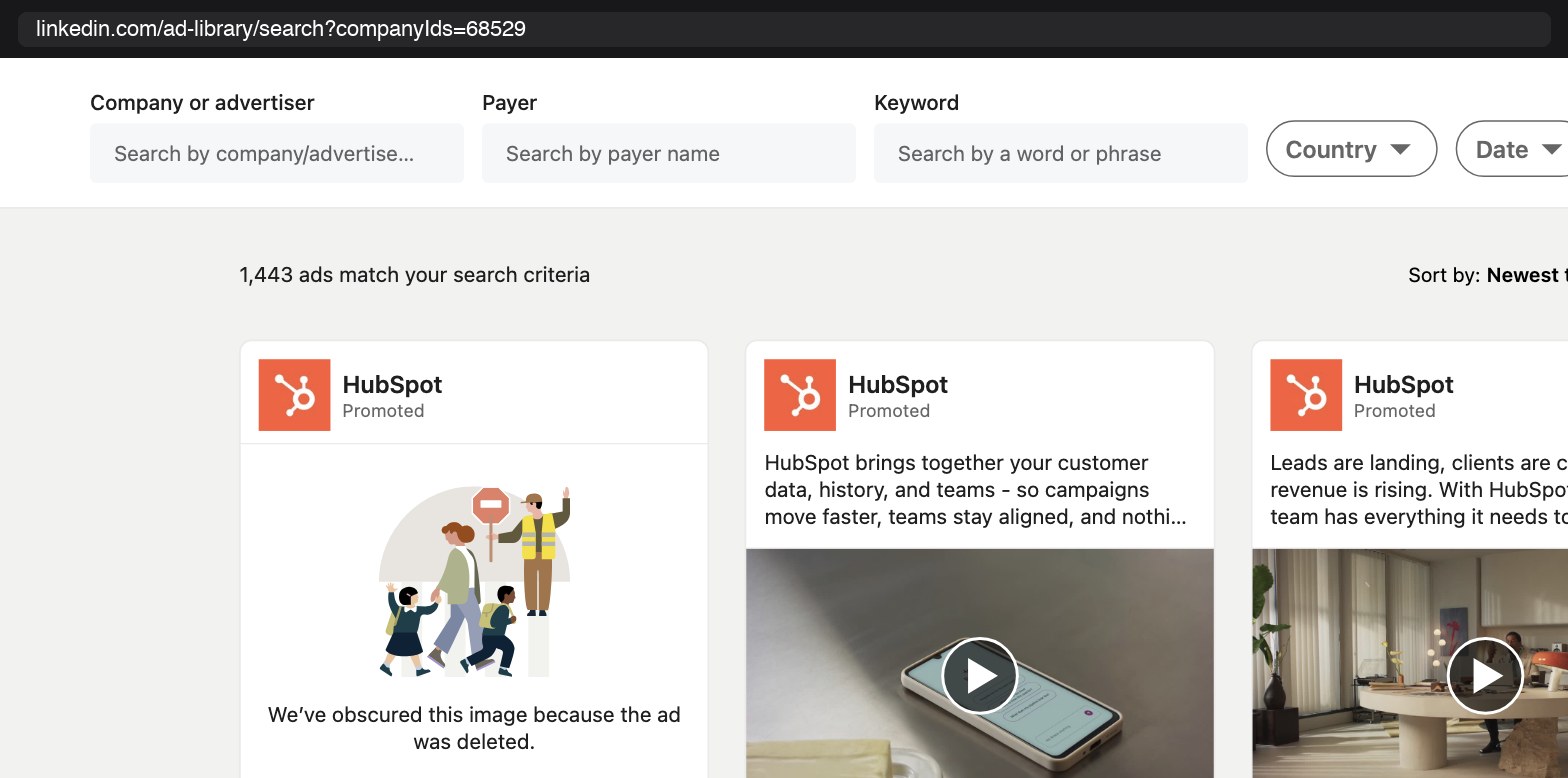
Searching by HubSpot's page id (68529): 1,443 ads, every one from HubSpot (September 22).
You should see about 1,400 ads (1,443 on September 22), every one from HubSpot. The id has to be the number: companyIds=hubspot fails to load.
While these results are up, open one of HubSpot's English videos (ad 1552255833, "Get ready for your 9am at 8.56"). It isn't targeted to the EU, and the panel has three lines: Video Ad, Advertiser HubSpot, Paid for by HubSpot, Inc. Nothing else, on any tab. Ads targeted to the EU show more, and Steps 3 to 5 use that.
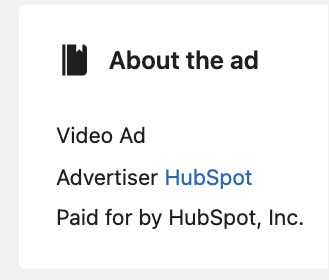
An English HubSpot video not targeted to the EU: the panel stops at format, advertiser and payer.
Why not just search the name?
The name search is what everyone uses, and for any brand with partners it's the wrong search, because the box matches any advertiser whose name contains your text. "HubSpot" returns 2,568 ads, 1,125 more than the page id search, and some of the cards say "Wagada Digital | HubSpot Partner", which is an agency.
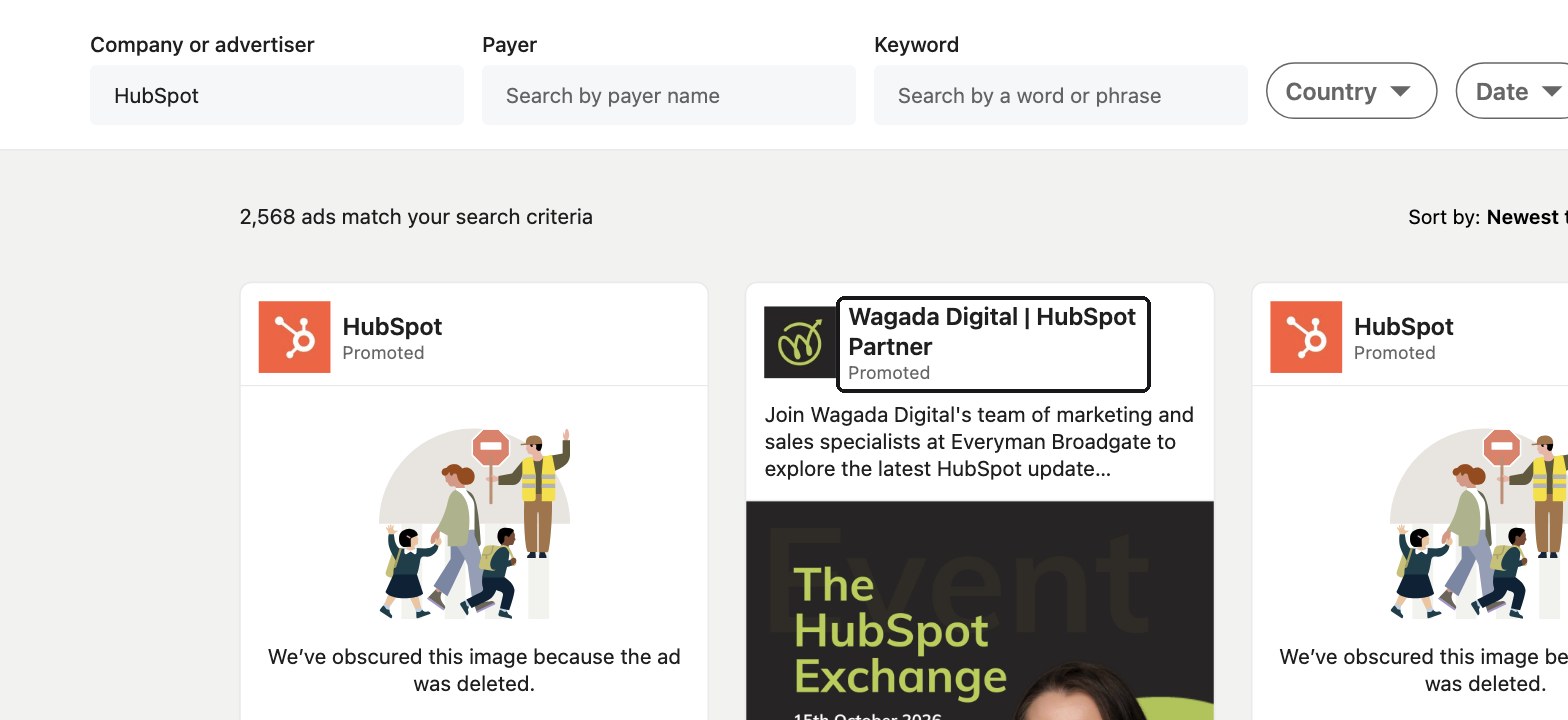
Searching the name "HubSpot": 2,568 ads, including this one from Wagada Digital, a partner agency (September 22).
Short names get worse. "SAP" also brings back Saputo, a Canadian dairy company (probably not the competitor you had in mind). A domain or a LinkedIn URL returns "No results found".
A huge ad count can be a few ads, copied
On ads without numbers, the ad count is the only size signal you have. Before you read a big count as a big budget, check two things:
- Scroll through the newest few hundred ads and see if the same text and image repeat.
- Open about 10 ads and check whether "Paid for by" matches the advertiser.
Why? Because the count adds up every copy of every ad.
Lattice, the HR software company, has 184,110 ads in the library (September 27, 2026). HubSpot has about 1,400. But Lattice's newest 240 ads have only 40 different text-and-image pairs (and 3 different texts), while HubSpot's newest 240 have 199.
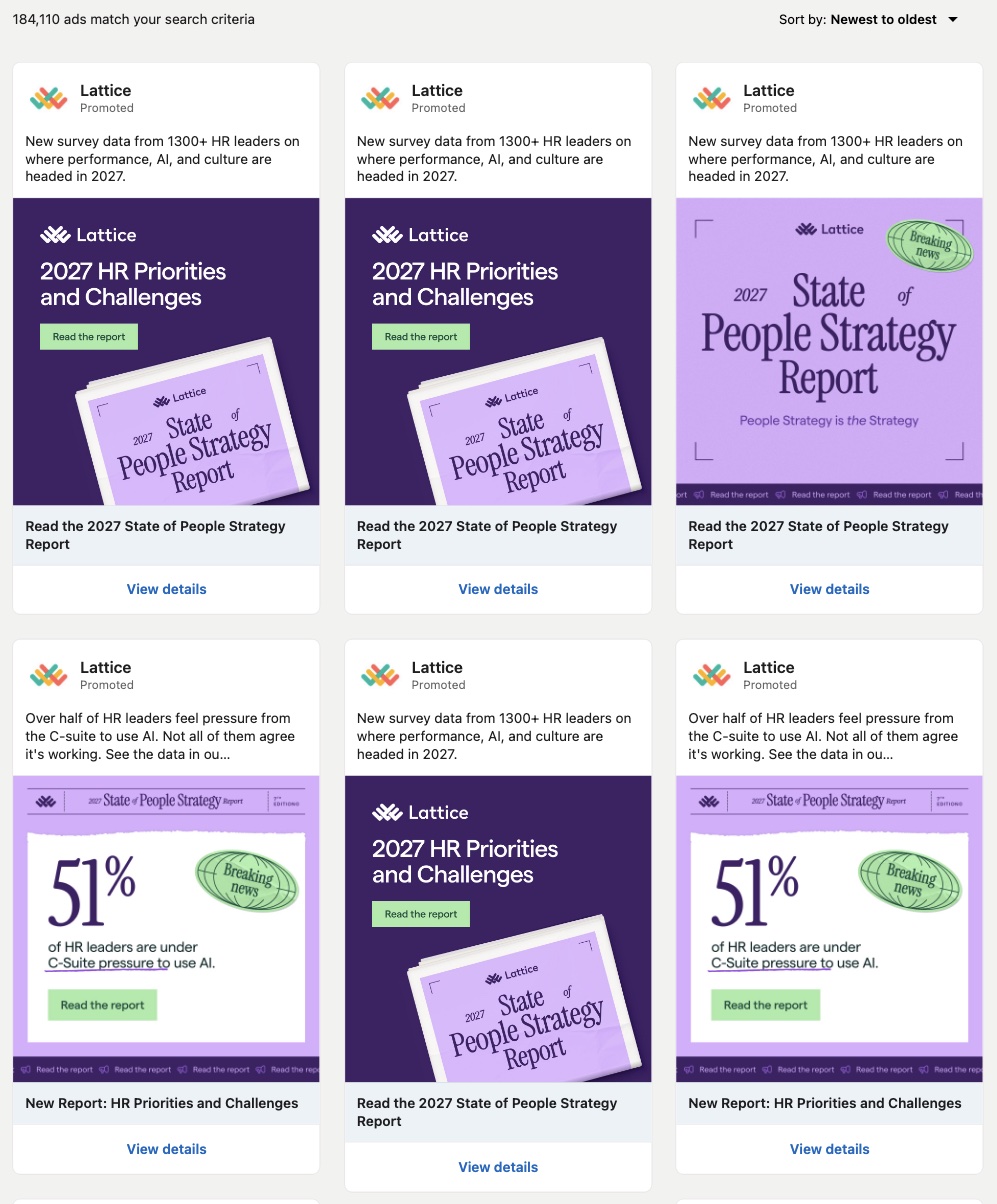
Lattice's page id search: 184,110 ads, and the first six use two ad texts and three images between them (September 27).
Most of the copies we opened had a different payer. Of 10 of Lattice's newest ads, 7 were paid for by Ignitium LLC, an account-based marketing (ABM) agency. Each ran 1 to 9 days and was shown fewer than 1,000 times. That looks like ABM: the same few ads, copied for many small target lists (our guess; Lattice hasn't said).
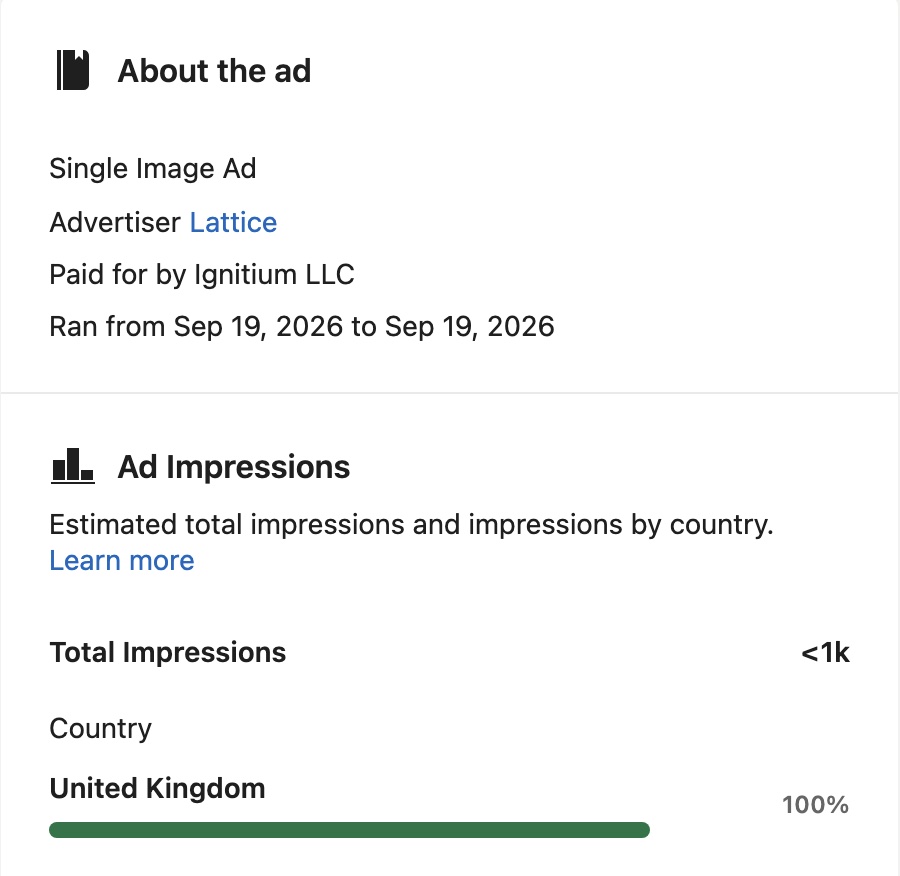
One of the copies: the advertiser is Lattice, but Ignitium LLC paid. It ran for one day and was shown fewer than 1,000 times, all in the UK.
Which of their ads work
To find the ads a competitor showed most, use impressions. That's the number of times LinkedIn showed an ad, given as a range (one person can see an ad several times). Only EU-targeted ads have them. An ad in a high range that ran for weeks is one the company kept paying to show.
Most competitors will have some. Of the 10 other CRM and marketing software companies we checked on September 27, 7 had EU-targeted ads among their newest ads (the full list is below).
Step 3: Pick an EU country
This shows you ads that carry numbers, in one market. With the page id search open, pick Germany in the Country filter, or add &countries=DE to the address. On September 22, 179 ads were left, down from 1,443, and because the filter works on targeting, these are the ads HubSpot aimed at Germany. For your own competitor, pick the EU country it sells in most. This filter is only for finding an ad with numbers to read in Step 4; you'll clear it in Step 5.
Step 4: Open an ad and read the numbers
Click "View details" on one of the German ads, such as HubSpot's German brand video (ad 1552591373). On September 22 it showed:
- Ran from Sep 16, 2026 to Sep 22, 2026
- Total impressions: 1k-5k
- Impressions by country: Germany 100%
- Targeting: "Targeting includes Deutsch" for language and "Targeting includes Deutschland" for location
It was still running on September 27, at 5k-10k.
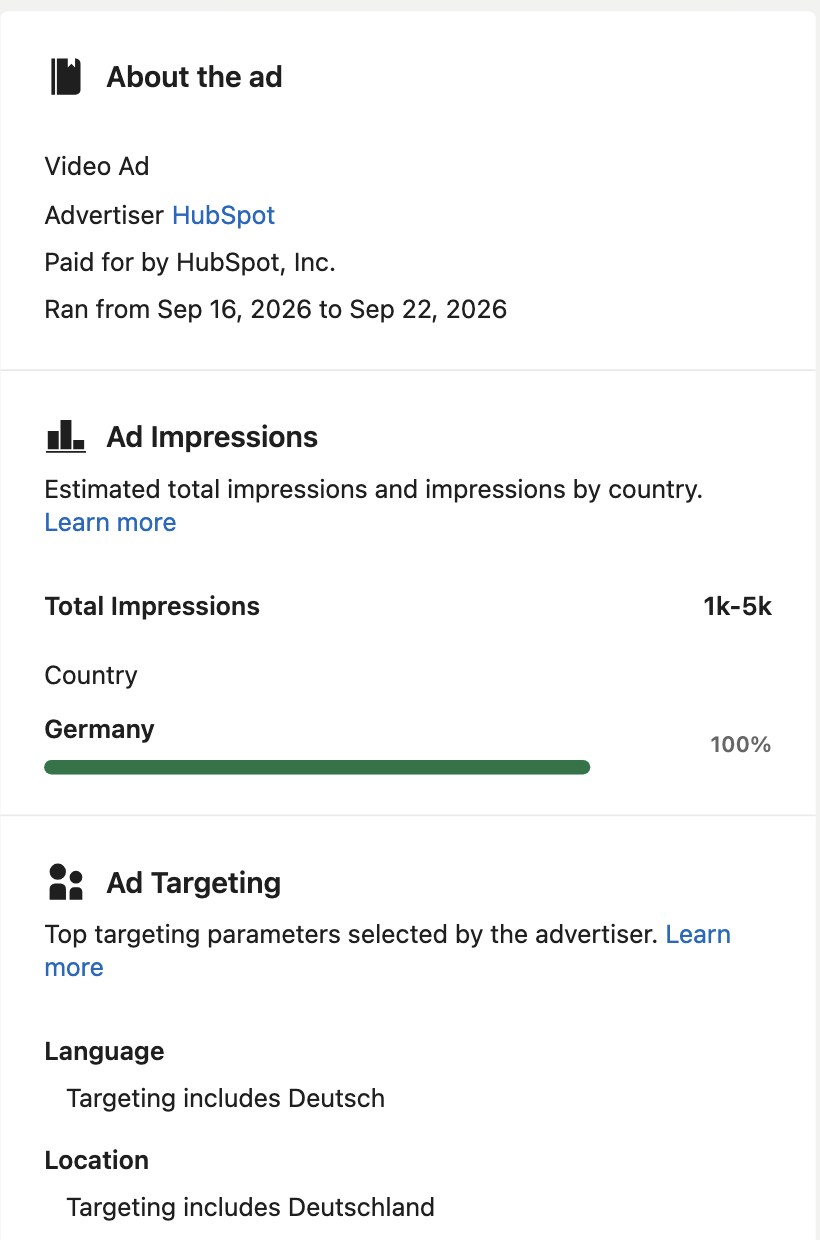
The same panel on a German HubSpot ad: run dates, an impressions range, the country split, and the language and location targeting (September 22).
Under the language and location lines, a table lists the other targeting types (Audience, Demographic, Company, Education, Job, Member Interests and Traits) with ticks under Targeted and Excluded. A tick under Job means job targeting was used. Which jobs, it doesn't say. On this ad, Audience is ticked under Excluded, so HubSpot kept a list of people out, such as a retargeting or contact list.
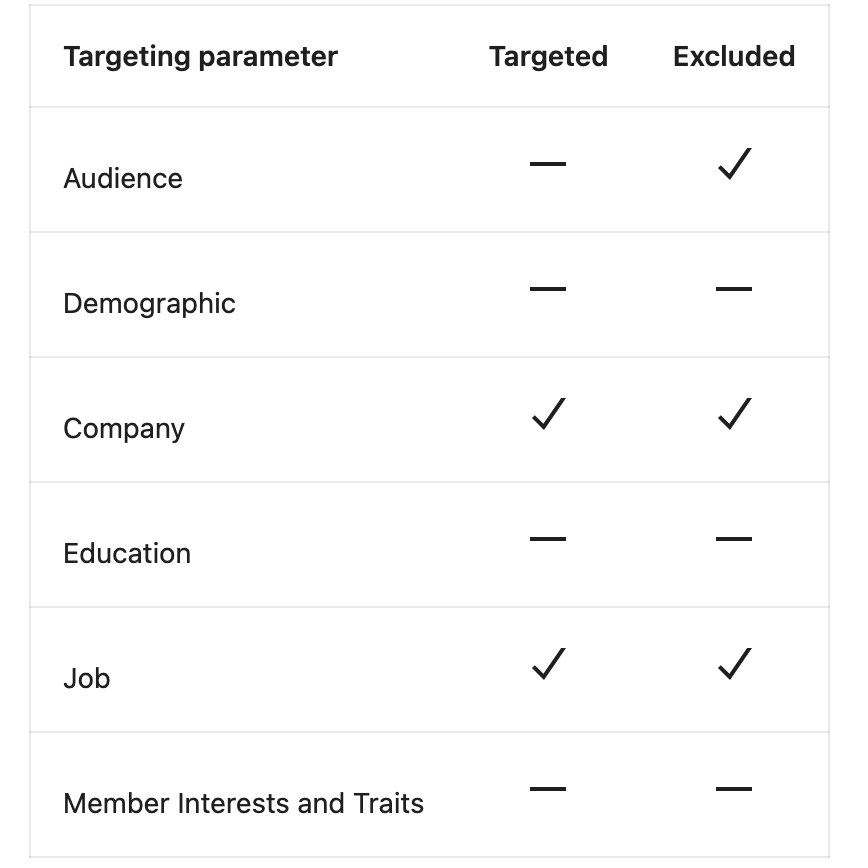
The targeting table: a tick shows which types were used, not the values. Here Company and Job are both targeted and excluded, and Audience is excluded only.
Impressions come in 13 ranges: <1k, 1k-5k, 5k-10k, 10k-20k, 20k-30k, 30k-50k, 50k-100k, 100k-150k, 150k-200k, 200k-300k, 300k-500k, 500k-1M, 1M+. The country split covers every country where the ad was seen, EU or not. HubSpot's German ad is 100% Germany, so take a wider one: a Robinhood Job Ad with 300k-500k impressions splits them United States 65%, Canada 8%, India 7%, United Kingdom 5%.
Check the dates too. A high range over a few days was a burst.
Step 5: Keep the ads with 10,000+ impressions
Clear the country, click "More", set the minimum impressions to 10 thousand, and apply. That covers every EU country at once. The address gets &impressionsMinValue=10&impressionsMinUnit=thousand. The filter only works on EU-targeted ads (the panel says so).
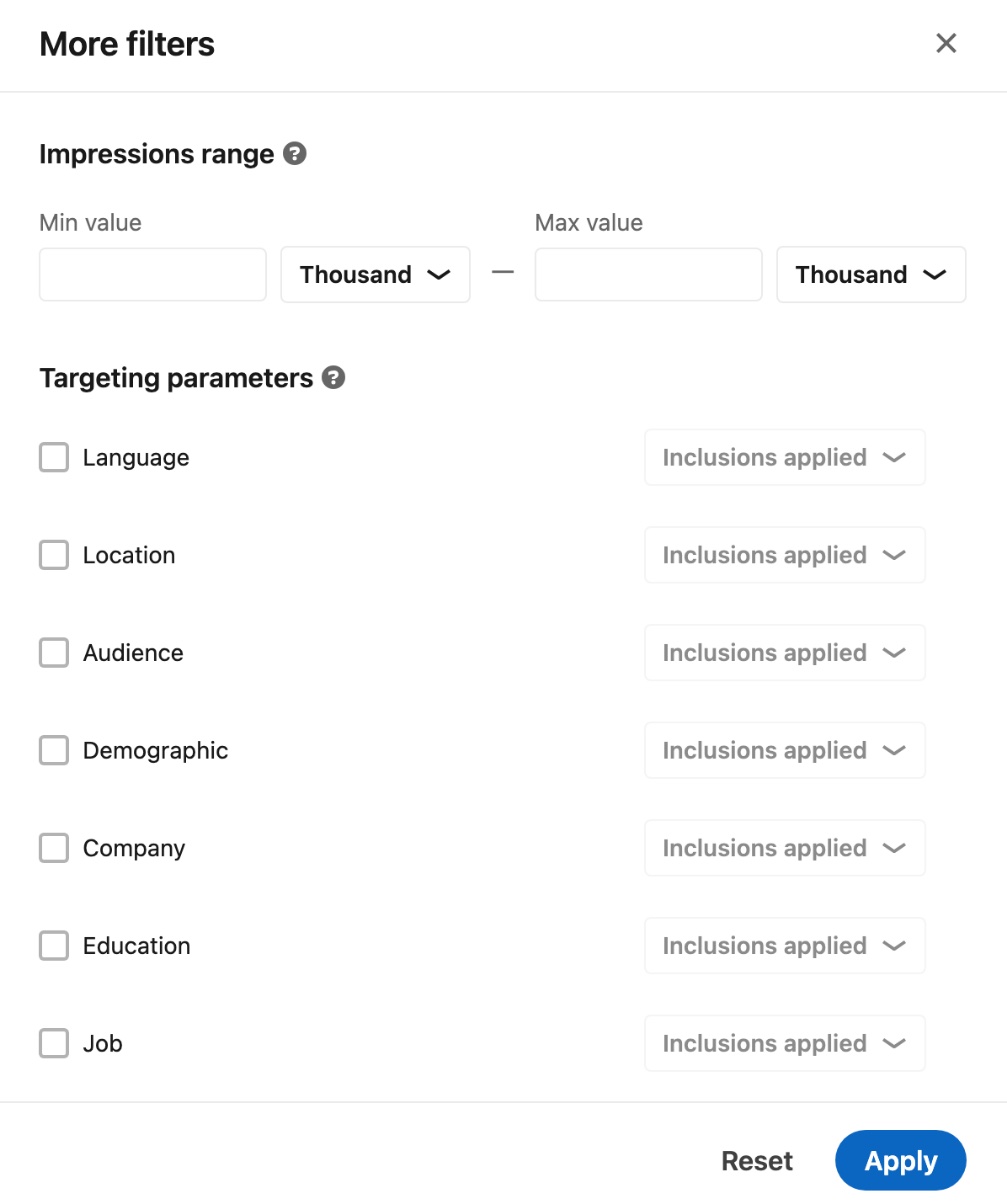
The More filters panel: the impressions minimum at the top, the targeting filters below.
The same panel filters by targeting too, say every ad that used Job targeting or excluded an Audience list.
Open each ad that's left, because a high-impression ad can be a recruiting ad, which tells you nothing about their marketing.
At 10,000, with the country cleared, HubSpot had two ads on September 27, and only one of them passed 50,000. Both were recruiting ads (LinkedIn's employer-brand "Company Discovery" ads). The 50k+ one ran from April 7, 2025 to February 24, 2026 and had 200k-300k impressions (United States 64%).
So on LinkedIn, HubSpot has no marketing ad above 10,000 in the EU. Other companies do: ActiveCampaign had two at 500k-1M (table below).
Other ads have no impressions, so the top ad you find is only the top EU-targeted one.
If you only care about the US
If you only care about the US, the library gives you less. Ads aimed only at the US show no dates and no impressions, so there's no way to rank them.
You can still see which ads are aimed there: add &countries=US (HubSpot had 513 on September 27). The ads show no start date, but the date filter still works on them. So you can see which are new: 165 of HubSpot's US-aimed ads were from the last 30 days. The keyword filter works on them too, so you can see which products they push.
And watch their campaigns that also reach Europe. The country split lists every country an ad reached, the US included. ActiveCampaign's two biggest ads, both 500k-1M, were 37% and 38% US. Of the 62 ads with EU numbers in our competitor check, 45 listed the US.
See what they're pushing right now
Impressions show what ran biggest. For what's new, keep the page id in the address (companyIds=68529), clear the impressions minimum, and use these three.
New ads: the date filter
Pick "Last 30 days" under Date, or add &dateOption=last-30-days to the address. It keeps the ads from the last 30 days.
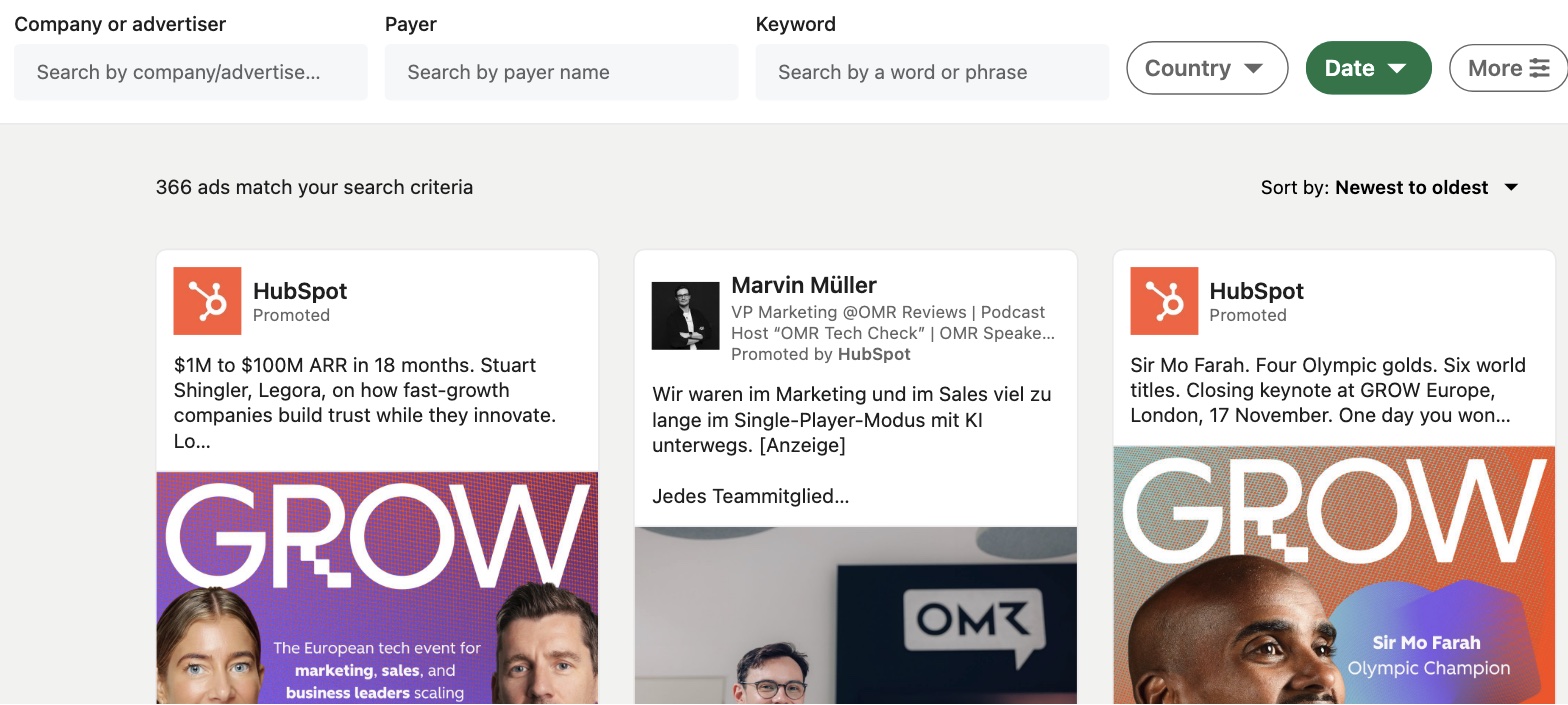
The date filter on HubSpot's page id: 366 ads from the last 30 days (September 27).
That's a quarter of everything HubSpot has in the library, and its newest ads include its Fall 2026 Spotlight launch.
Topics: the keyword filter
Clear the date, then type a product name in the Keyword box, or add &keyword= to the address, to see how hard they push it. On September 27, Breeze returned 46 HubSpot ads, Sales Hub 107 and AI 510, over a third of all HubSpot's ads in the library.
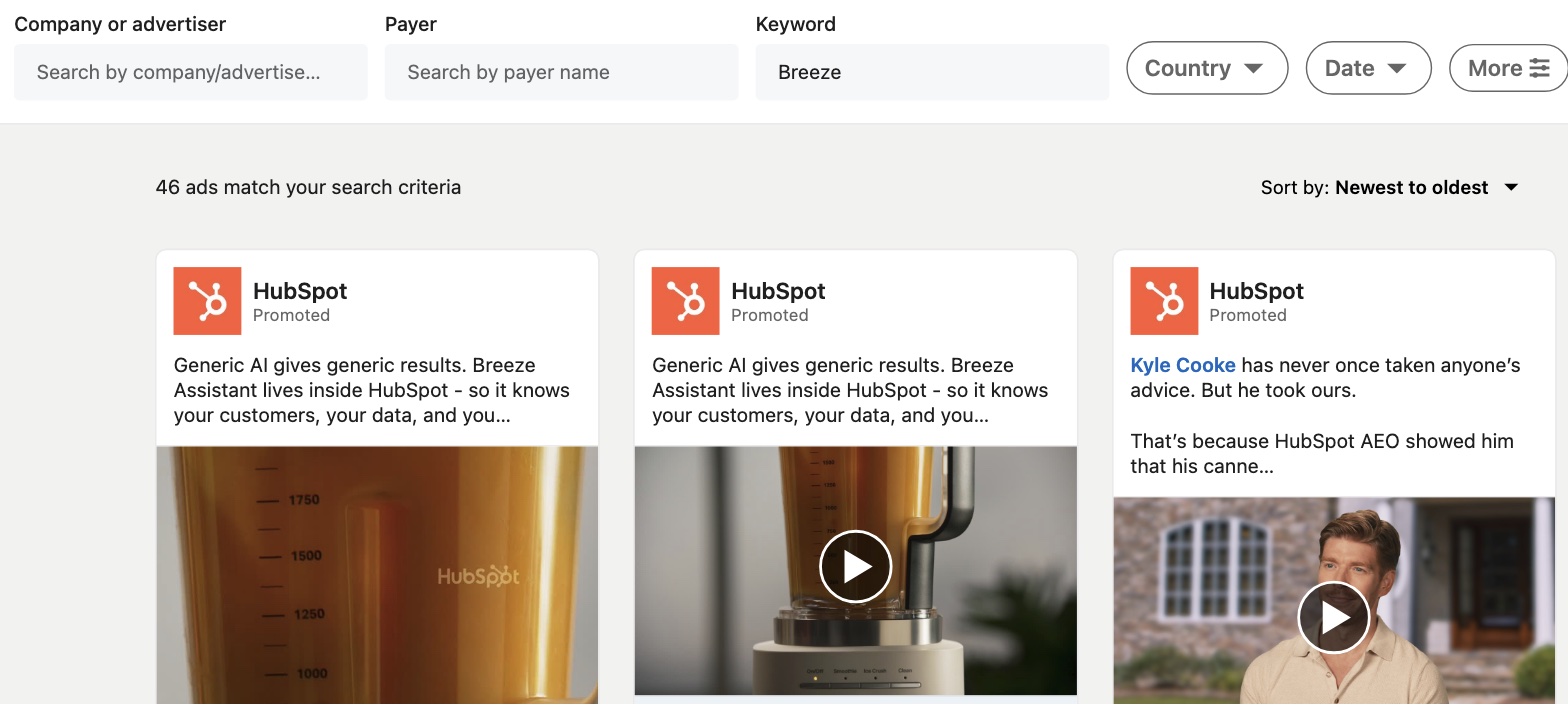
The keyword filter set to Breeze: 46 of HubSpot's ads mention its AI assistant.
The box keeps ads that contain every word you type, in any order. Quotes change nothing.
Campaign names: the headline link
On about one ad in five, the headline under the creative links to the landing page (47 of the 237 newest ads from the other competitors we checked). On the ads we opened, the button didn't link anywhere. Some links keep their tracking tags (UTM parameters, the labels that tell analytics which campaign sent the visit): 19 of those 47. When they do, they often name the campaign.
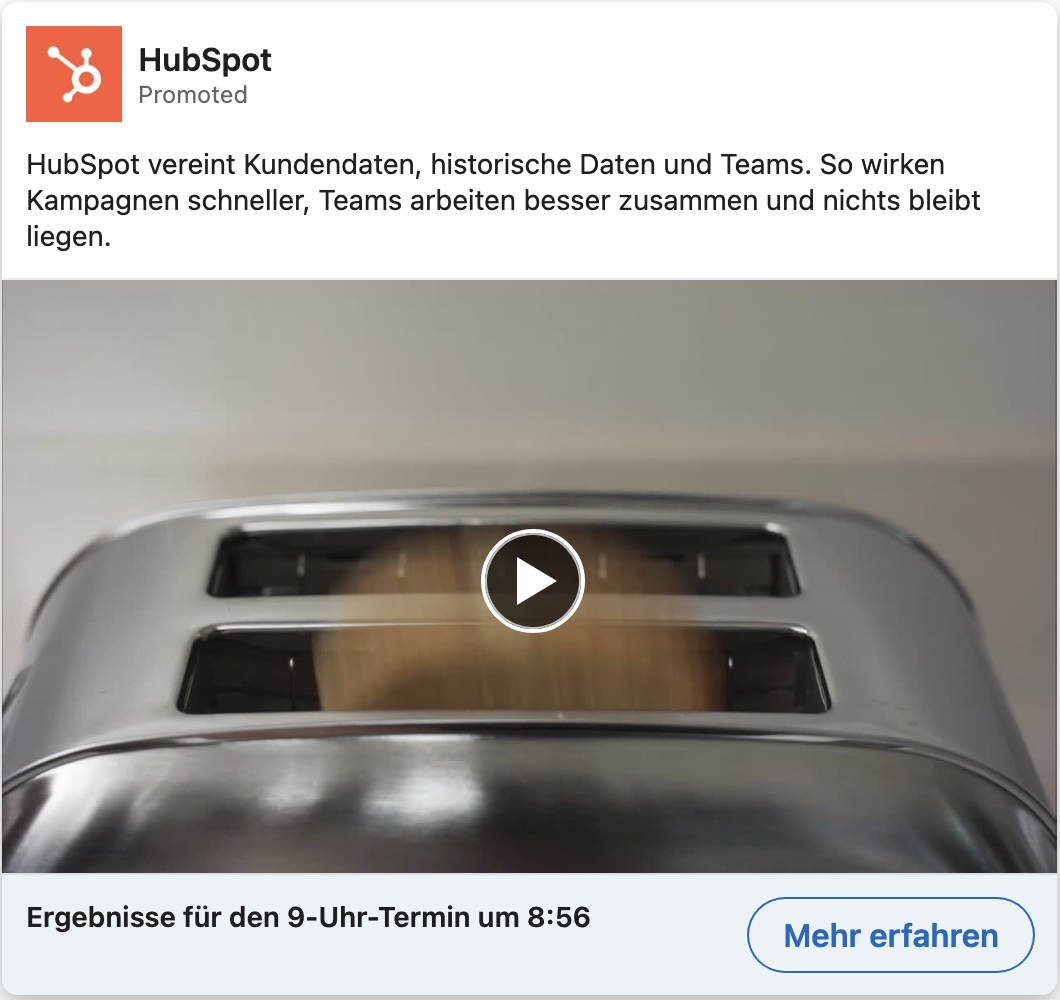
HubSpot's German video (ad 1552591373). The headline, "Ergebnisse für den 9-Uhr-Termin um 8:56", is the link; the "Mehr erfahren" button isn't.
That headline goes to hubspot.de with this campaign name:
BrandStrategy_VideoViews_DE_EMEA_DACH_GBC_AnnoyinglyGood-Q3-2026_OLV_GG-BDM_Butter-30
A second copy of the same ad ends in Butter-15. Our guess at the name: a Q3 brand campaign called "Annoyingly Good", bought for video views, from the DACH team (Germany, Austria and Switzerland). The two copies look like a 30-second and a 15-second cut.
Search by payer
To catch the ads a company pays for on other pages, like employee posts, use the Payer box. The page id search only shows ads from HubSpot's own page. So take companyIds=68529 out of the address (the Company box looks empty, but the id is still on). Then clear any date or keyword and type HubSpot in the Payer box. The address gets &payer=HubSpot.

HubSpot in the Payer box: 1,658 ads, 215 more than the page id search (September 22).
Most of the extra 215 are ads HubSpot pays for on other pages.
That's where thought-leader ads turn up. A thought-leader ad is an employee's or customer's post that the company pays to promote. It can run from the company's own page (one from Duncan Lennox, HubSpot's Chief Product and Technology Officer, does) or from somewhere else. There's no filter for them, but the Payer box catches both. The card shows the person's name and title with "Promoted by HubSpot" underneath, like this one from Kipp Bodnar, HubSpot's CMO.
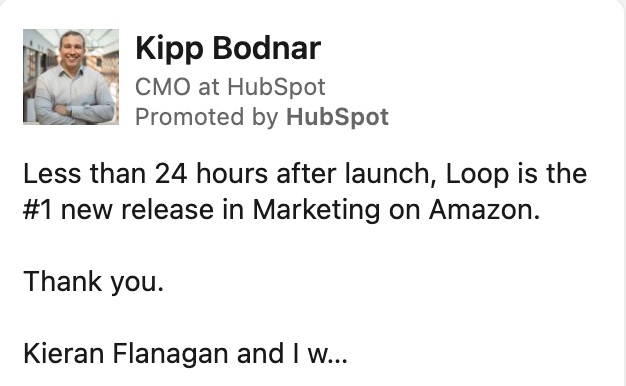
A thought-leader ad: Kipp Bodnar's post, with "Promoted by HubSpot" under his name.
The Payer box also catches a company's other brands and the companies it owns. Microsoft as payer returns 632 ads, and the first ads that load included Microsoft Advertising, Microsoft 365, Azure Cosmos DB, Minecraft Education and employee posts. A name search for "Microsoft" misses Azure Cosmos DB and Minecraft Education, since their names don't contain it. Salesforce as payer includes a post by the CEO of Regrello, which Salesforce bought in 2025, "Promoted by Salesforce".
Lattice goes the other way. A payer search for Lattice would likely miss the ones Ignitium paid for; the page id search catches them.
What you can't see
An ad in the library isn't necessarily still running. Ads stay for a year after they were last shown, and deleted ones stay too, image blurred, with a "View anyway" button. EU-targeted ads show an end date, but the rest don't, so you can't tell a live ad from one that stopped 11 months ago.
The date filter only reaches back one year. Results load 24 at a time as you scroll, sorted newest or oldest first. That's the whole sort menu. Loading until the end gets you most of the ads the count claims, though not all of them (we counted the shortfall). There's no export, though, so for the full list in a spreadsheet use the API.
Track a list of competitors
The library works one company at a time, and you need each page id by hand. For a whole list of competitors, use Adyntel, our API for company ad data. You send it a domain (or a page id in linkedin_page_id, as a string). It finds the LinkedIn page and returns the total ad count plus the 24 newest ads. For hubspot.com it found page 68529 and the same 1,443 ads the page id search showed on September 22.
The call
Here's the call for HubSpot, with the EU numbers switched on:
POST https://api.adyntel.com/linkedin
{
  "api_key": "your_key",
  "email": "your_email",
  "company_domain": "hubspot.com",
  "impression_data": true
}
It comes back with HubSpot's page id, its total count, and each ad with its EU numbers where LinkedIn has them (trimmed, as of September 22):
{
  "page_id": "68529",
  "total_ads": 1443,
  "ads": [{
    "ad_id": "1552591373",
    "creative_type": "SPONSORED_VIDEO",
    "eu_transparency": {
      "startDate": "2026-09-16T00:00:00.000Z",
      "totalImpressions": "1k-5k",
      "impressionsByCountry": [{ "country": "Germany", "impressions": "100%" }]
    }
  }]
}
The API has the same date filter (date_filter, such as last30d), and it gave the same 366 for HubSpot's last 30 days. It can't be combined with the EU numbers. For every ad a company has, set all_ads with a webhook_url. The API then fetches each page for you, at one credit per page (50 for HubSpot, see below). A domain with no LinkedIn page returns an empty response (HTTP 204). Some dynamic formats (Spotlight, follower and job ads) come back without their details, EU numbers included.
You only pay for successful calls. If the API finds the company's page, the call costs one credit (two with the EU numbers switched on), even when that page has 0 ads. If it can't find the page or return a response, there's no charge. So counts alone for 300 competitors come to at most 300 credits, or 600 with the EU numbers, as in the call above. A new account starts with 50 free credits, enough to try it on a few of your own competitors. The same lookup works for Meta and Google (all three at once), and the details are on the LinkedIn ads API page and in the docs.
How many ads you get
One call gives you 24 ads, newest first. To get the rest, use the continuation_token that comes back with every response: put it in your next call and you get the next 24. Take the token off that response, call again, and keep going until a call comes back with no ads at all.
On HubSpot that gets you 1,167 ads, not the 1,409 the page id search shows. They came 24 to a page for 49 pages, then a short page of 15, then a page with no ads on it. HubSpot's ads ran out. LinkedIn wasn't cutting us off at a page limit, because a limit would have stopped us on a full page of 24. And no ad came back twice, so the 1,167 are 1,167 different ads.
Deleted ads may be the missing 242. A deleted ad stays in the library for a year with its image blurred, and our guess is that LinkedIn counts it in the 1,409 but won't hand the ad itself over. LinkedIn hasn't said. Either way, expect to get about five ads out of every six the count promises.
Free dataset
All 1,167 are here: HubSpot's LinkedIn ads, September 27, 2026. One row per ad, with the ad text, the headline, the format, the advertiser, the image and a link to the ad in the library. It took 50 calls, three minutes and 50 Adyntel credits.
To pull the LinkedIn ads of any brand you're interested in, sign up for Adyntel. You get 50 free credits (no credit card), enough for a brand HubSpot's size.
972 of the ads run as HubSpot itself. The other 195 are posts by 118 individual people that HubSpot paid to promote, from its own CMO to marketers who don't work there. Those cards show the person's name and photo, with "Promoted by HubSpot" underneath instead of HubSpot's own name. They come back in the same page id search as everything else, so check the advertiser before you read an ad as the company's own messaging.
The rest of your competitor list
Here's that on the rest of your competitor list: 10 other CRM and marketing software companies, run through the API the same way on September 27, 2026. Each call returns the company's total and its 24 newest ads.
| Company | Ads in the library | Newest 24 with EU numbers | Different texts in the newest 24 | Biggest EU range in the newest 24 |
|---|---|---|---|---|
| Freshworks | 81,188 | 5 | 16 | 200k-300k |
| Salesforce | 7,749 | 6 | 16 | 10k-20k |
| monday.com | 3,358 | 4 | 7 | 5k-10k |
| Pipedrive | 1,628 | 0 | 5 | none |
| Mailchimp | 1,589 | 0 | 17 | none |
| ActiveCampaign | 1,121 | 10 | 12 | 500k-1M |
| Attio | 344 | 20 | 6 | 50k-100k |
| Zoho | 304 | 0 | 16 | none |
| Brevo | 159 | 8 | 14 | 10k-20k |
| Close | 21 | 9 of 21 | 13 | 150k-200k |
HubSpot itself had 1,409 ads on September 27 (1,443 on September 22). Different texts counts each distinct ad text once and leaves out ads with no text. Close's newest EU-targeted ads ended in February 2026.
Freshworks has the biggest count by far, and it isn't only copies. Its newest ads were live in the UK, the Netherlands and Germany at up to 200k-300k impressions. ActiveCampaign has the biggest single ads, two at 500k-1M that started September 15 and 23 and were still running on September 27. Attio's newest 24 use one headline 18 times. Pipedrive, Mailchimp and Zoho show no EU numbers in their newest 24, so for their current ads you'd have counts and creatives only.
Where to start
In the library, search one competitor's page id, set a minimum of 10 thousand impressions, and open what's left.
For a whole account list, run the domains through the LinkedIn ads API.
Quick reference
| To get | Add to the address |
|---|---|
| One company only | companyIds=68529 (its page id) |
| Ads aimed at one country | countries=DE |
| Ads from the last 30 days | dateOption=last-30-days |
| Ads mentioning a word | keyword=Breeze |
| Everything a company pays for | payer=HubSpot |
| Ads with 10,000+ impressions | impressionsMinValue=10&impressionsMinUnit=thousand |
FAQ
Can I see all of a company's ads, not just the newest? Yes. Keep loading in the library, 24 at a time, or pull every page through the API. There's no export in the library.
How do I access the LinkedIn Ad Library? Go to linkedin.com/ad-library. It's public, so there's no login and no LinkedIn account needed.
How do I see a competitor's LinkedIn ads? Search by their page id, not their name (Steps 1 and 2). The name search pulls in every page whose name contains it.
Why can't I find a company's ads? The name search matched other pages (search by page id instead). An agency runs them from its own page (type the company in the Payer box). A country filter is still on. Or the company ran no ads in the past year.
Can I see a company's promoted employee posts? Yes. Type the company in the Payer box and look for cards that say "Promoted by" the company.
Does the LinkedIn Ad Library show ad spend? No, not for any ad in any country. Any tool that shows a LinkedIn spend figure is estimating it (how to estimate LinkedIn ad spend). The closest thing in the library is an impressions range.
Is there a LinkedIn Ad Library API? LinkedIn's own is only for researchers it approves. The Adyntel API returns a company's ads by domain.
Is the LinkedIn Ad Library free? Yes. Searching and viewing ads costs nothing.